

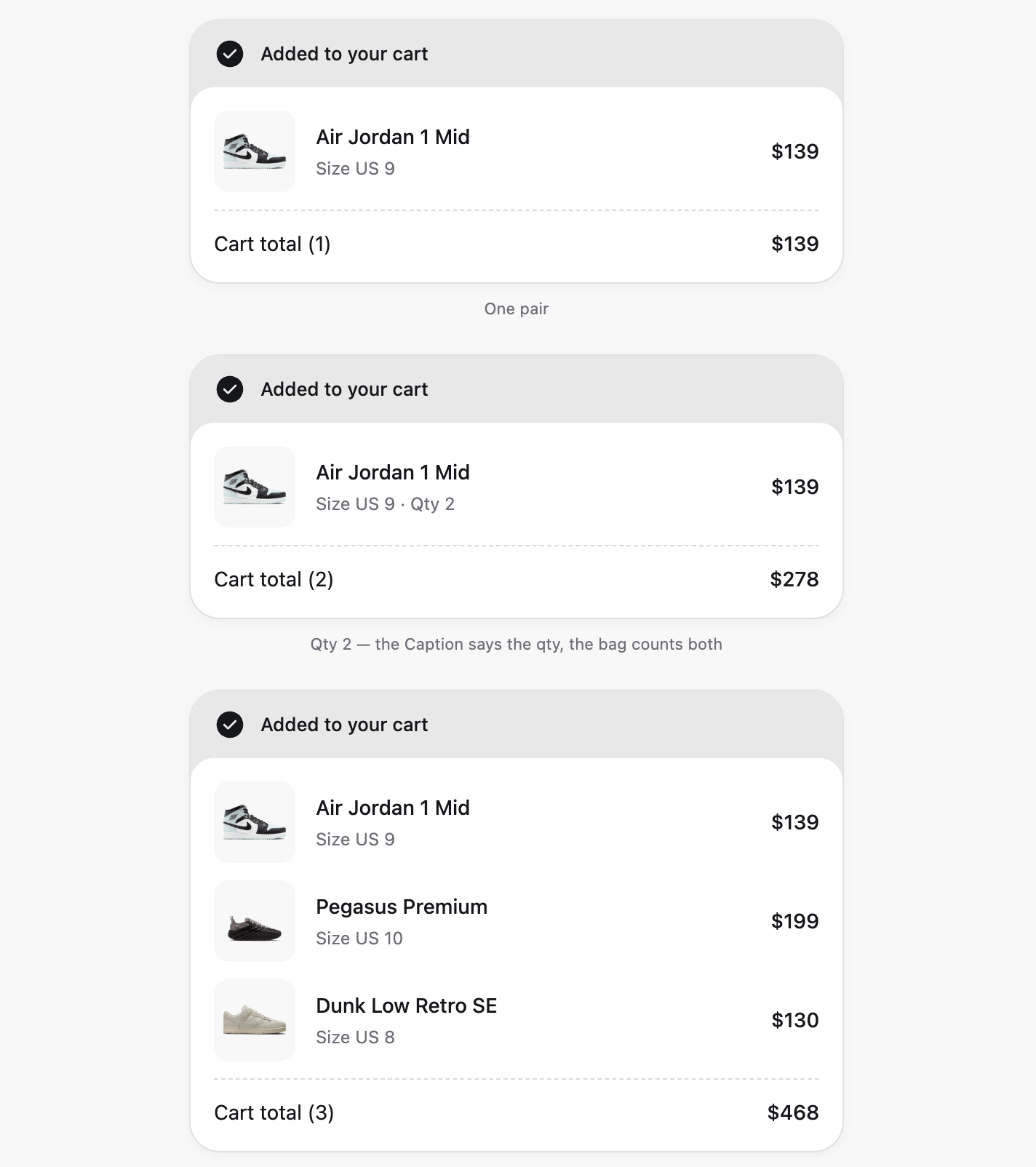
The cart card with one item, a quantity of two, and three items
Anatomy
The diagram shows the cart and checkout card as its items, totals, modifications, recommendations, and controls, and the two modes it can take.
The card reads the live cart from your storefront. When the shopper changes a quantity on the card, the storefront cart changes with it.
Where it appears
A cart and checkout card never shows on its own. One of these components includes it.- In the welcome message, which is global. Every shopper sees the same one on every page, including shoppers with an empty cart, so for a returning shopper with items still in their cart, use a proactive message instead.
- In a proactive message, for example a cart recovery message that shows the items left behind. A cart recovery Campaign sends one at each step of its sequence.
- In the assistant reply, where the Agent chooses it. The shopper asks what is in their cart, asks to remove something, or asks to check out, and the Agent answers with the card.
- On a page, inside a page section on the cart page, for example a content block that shows the basket beside the discount that applies to it.