

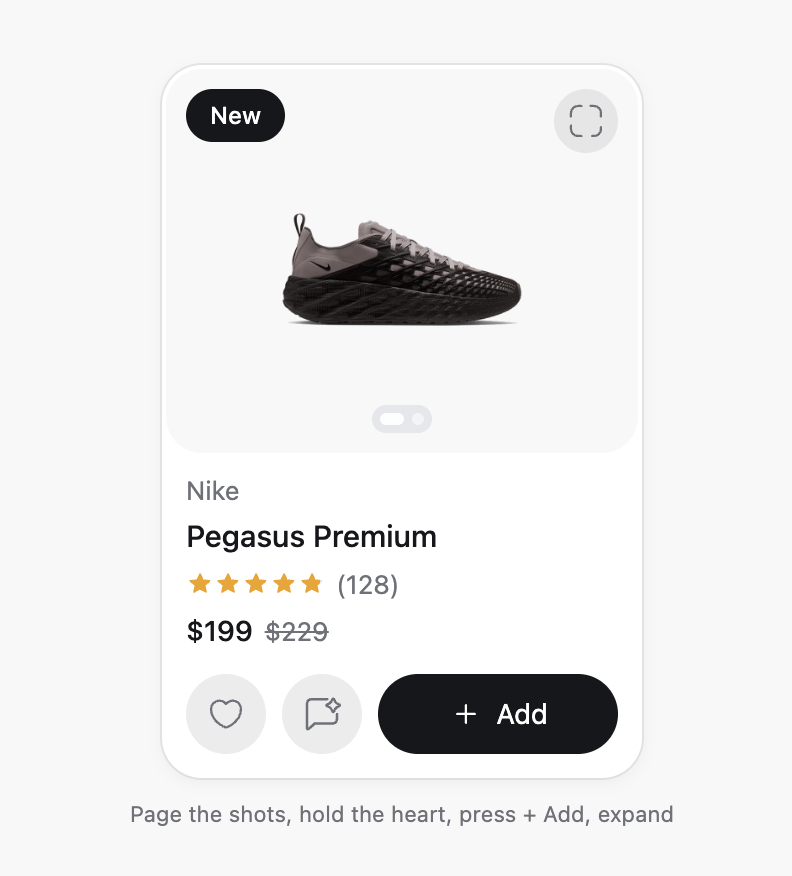
A product card with a badge, rating, sale price, and actions
Anatomy
Product data comes from your catalog. The card renders whichever product the Agent, or the component that included it, selects. You do not write a card per product.
States
A card shows the state of the product, from your catalog, as a badge or ribbon and a change to its buttons.Where it appears
A product card never shows on its own. One of these components includes it. Where that component carries a rule, the rule decides when the shopper sees it.- In the welcome message, for example a new arrival every shopper sees when the widget opens. For the product a shopper arrived to see from a video or an ad, use a proactive message, because the welcome message is the same for everyone and conversation starters belong to the Journey, not the arrival source.
- In a proactive message, for example a nudge on a product page that shows the item with its size selector ready.
- In the assistant reply, where the Agent chooses it. The Agent shows one card when there is a single clear match and a product collection when there are several.
- On a page, inside a recommendation and upsell section, for example three add-ons on the cart page. On a page the card usually arrives as part of a collection rather than alone.