

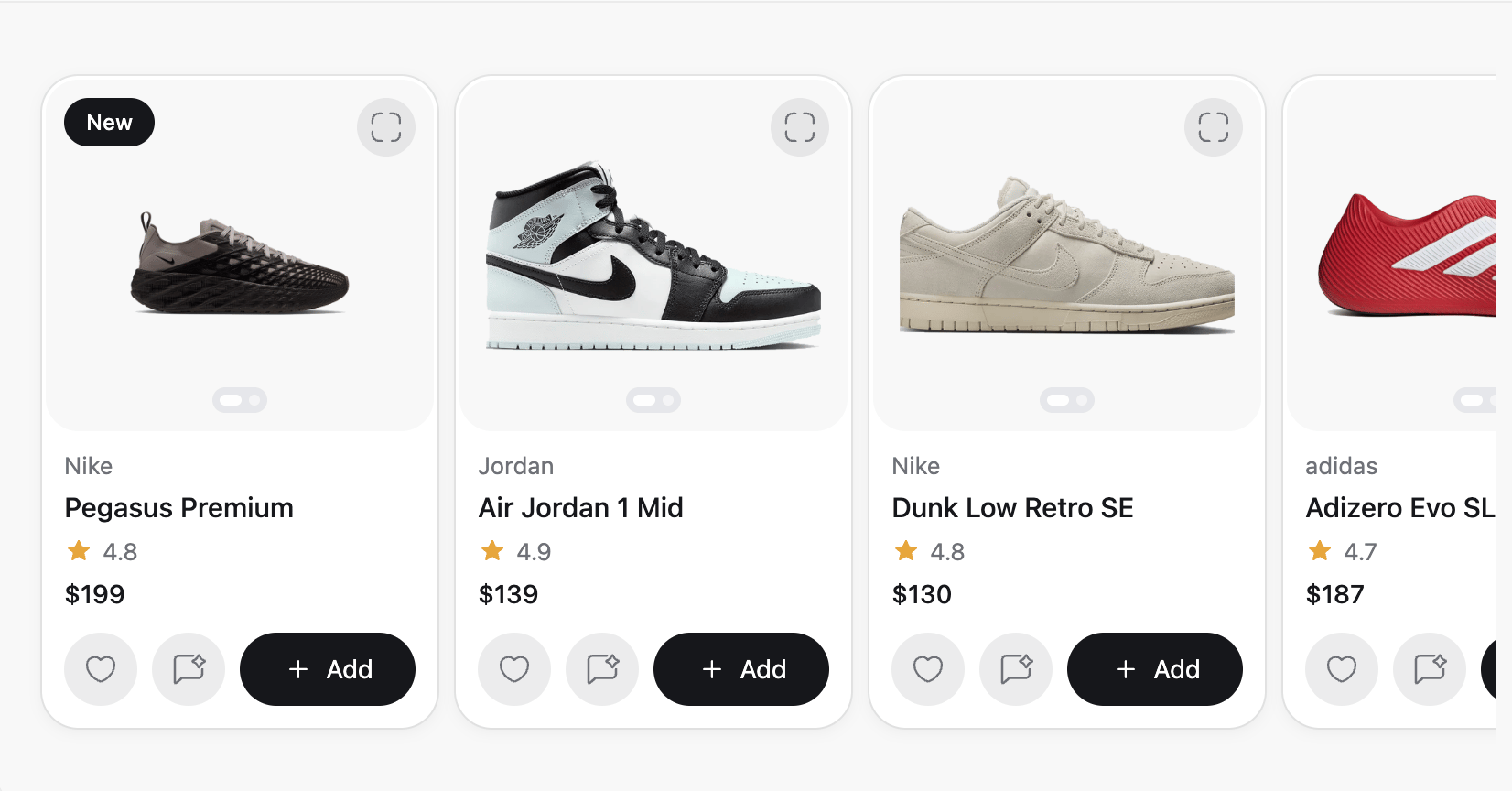
A product collection shows several product cards together under one heading, such as Best matches for you. It gives the shopper a set to choose from instead of one product at a time. It is how the Agent answers a question that has more than one good answer, and how a page shows a group of products picked for the visitor.
A product collection as a carousel of compact product cards

A product collection as a carousel of compact product cards

Anatomy

The diagram shows a product collection, the properties that shape it, and the product cards inside it.

Layouts

Each product card inside the collection keeps its own identity and emits its own events. You can follow a shopper from the collection being shown, to one card being clicked, to that product being added to the cart.

Where it appears

A product collection never shows on its own. One of these components includes it.
  • In the welcome message, for example the season’s featured products, shown to every shopper when the widget opens.
  • In a proactive message, for example alternatives sent when the product a shopper came to see is out of stock, or a set of picks for a shopper who has stalled on a collection page.
  • In the assistant reply, where the Agent chooses it. When a question has several matches, the Agent writes a sentence such as These three are your best matches, follows it with a product collection, and adds follow-up suggestions such as Compare the first two or Only show black.
  • On a page, inside a recommendation and upsell section. The section pairs the collection with an explanation of why these products were picked, and its rule decides which page and which visitor see it.
A collection on its own has no explanation. When you want copy that ties the picks to what the shopper said, did, or arrived from, use a recommendation and upsell section on a page, or let the Agent write the explanation in the assistant reply.

Rules

A product collection carries no rule. It shows because the welcome message, or a proactive message or recommendation and upsell section with a rule, included it, or because the Agent composed it into the assistant reply. Ordering and filters shape what the shopper sees once the collection is on screen. They do not decide whether it shows. That decision lives on the component that included it. The welcome message is the exception: it carries no rule and is global, so every shopper sees what it embeds. Read Rules.

Example

Several products the Agent recommends at once, in a carousel the shopper swipes through.
The same collection renders as a grid inside a page recommendation and upsell section, or as a list with one product per row for a longer set.

Product card

Dynamic components

Assistant reply

Comparison card